Hardware
- Dell PowerEdge R640
- Dell OptiPlex 7050 SFF
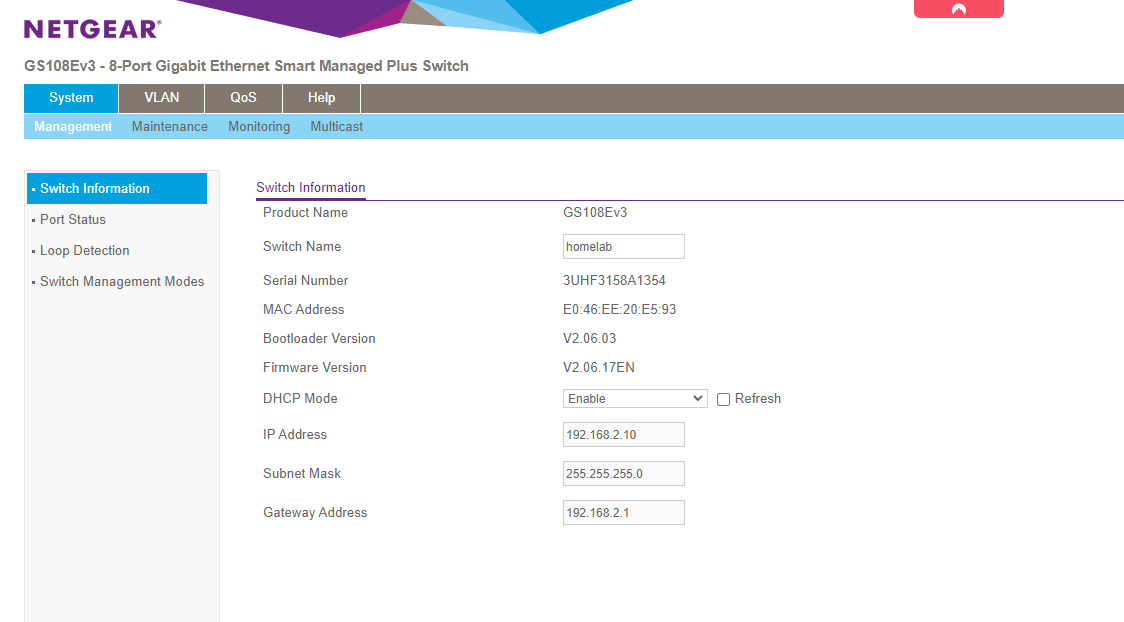
- NETGEAR GS108E Gigabit Switch
- Power Supply & Rack
- Eero Pro 6
- Ventoy Drive
Dell PowerEdge R640
R640 (1U) - Specs
I purchased this server from PC Server & Parts via Ebay.com, a reputed and certified seller of refurbished enterprise gear and hardware. Dell PowerEdge servers are extremely configurable, which can make it difficult to select the "right" server to purchase. Some factors I considered when purchasing were:
- Power Consumption
- Processors
- Noise level
- RAM & Storage capacity
- iDRAC license
I was able to get lucky and find a server for a decent price point that comes with a 1 year warranty. The specs are as follows (yes, most would consider it overkill, but to me, the more the better...)
| Form Factor | 1U |
| Processors | 2x Intel Xeon Gold 6148 @ 2.40GHz |
| Cores | 40 Cores (20 each) |
| Memory (RAM) | DDR4 - 128 GB |
| Storage | 8x 2.5 Drive Bay Capacity (I currently have 4x 1TB SATA SSDs) |
| Power Supply | Redundant PSU (2 PSUs - 750W) |
| RAID Controller | Dell H730P |
| Network Interface | Intel I350 - 4x 1GbE RJ45 ports |
| iDRAC | Enterprise License |
These are some of the important specs of my R640 that I paid closest attention to. The chassis & motherboard also allow for future scalability, so I hopefully shouldn't have to worry about another server for 5-6 years.
iDRAC9 Enterprise
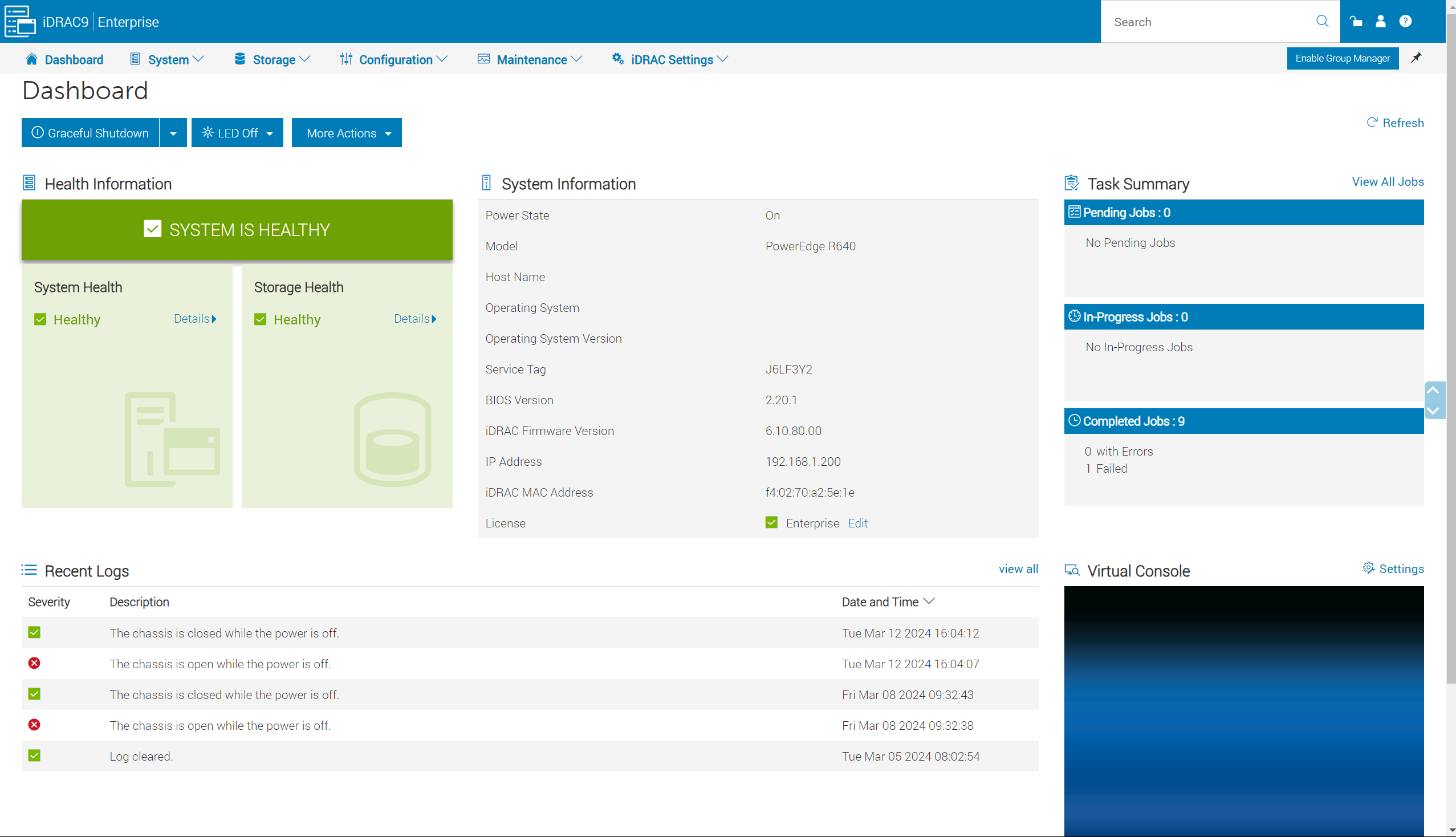
iDRAC9 is Dell's version of remotely accessing and controlling the server. This was probably one of the most important parts of my homelab, as it lets me configure, power on and off, and control the server from anywhere in the house or via my VPN connection
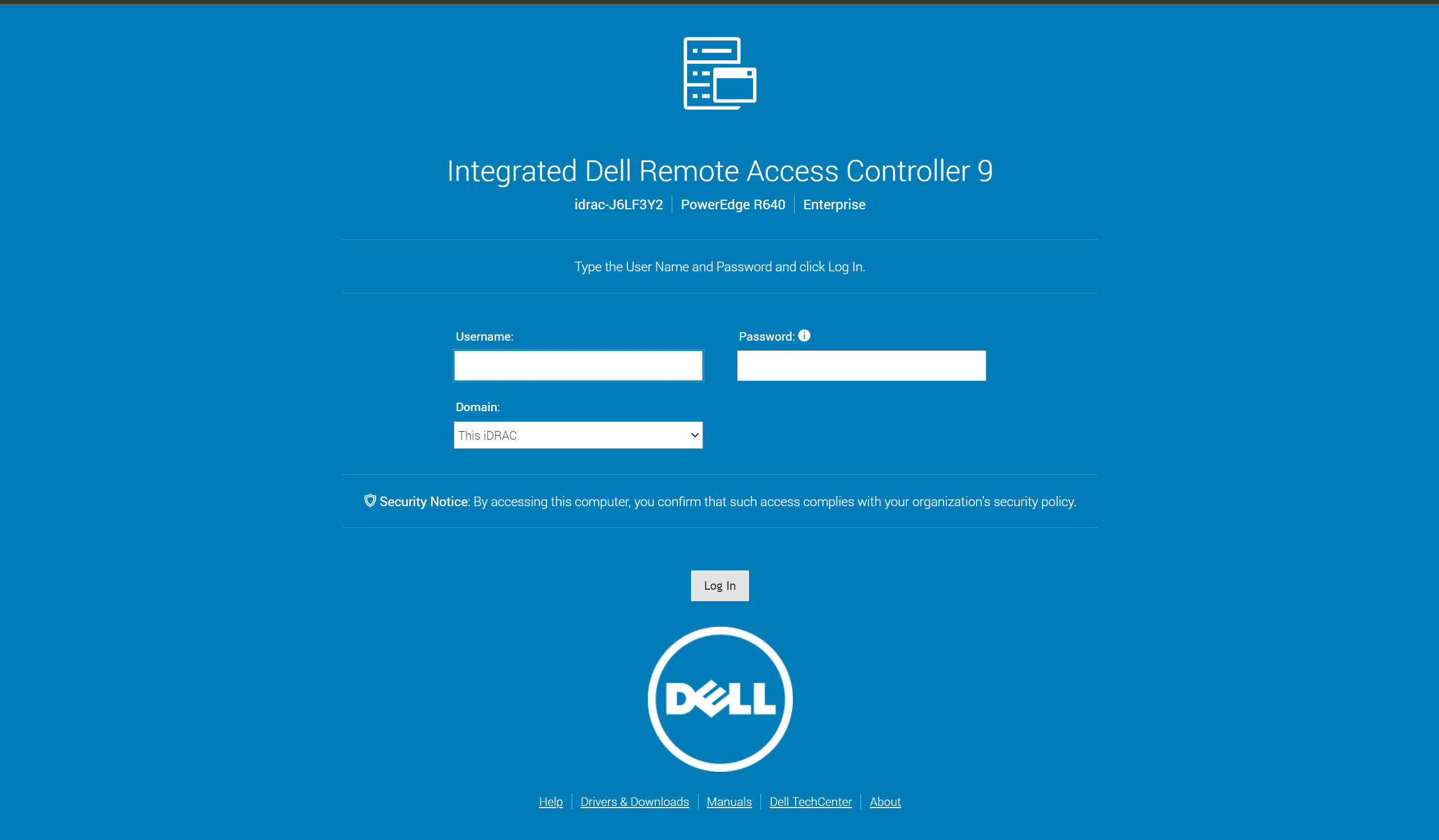
The dashboard below will showcase all the options for configuration. There is also a virtual console which allows you to even access system BIOS and the Lifecycle Controller.
OEM Docs
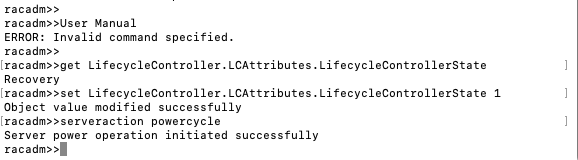
Miscellaneous Helpful Notes
To enable Lifecycle Controller - SSH into iDrac and run commands:
Dell OptiPlex 7050 SFF
Specs
I purchased this Dell OptiPlex 7050 via Ebay for around $60.00. It is a small form factor (SFF) desktop, with additional PCIe expansion slots, which made it a suitable alternative to other dedicated hardware these days for firewall appliances. The desktop specs were as follows:
- Processor - Intel Core i5-7600T 3.50GHz
- 8 Gb DDR4 Ram
- 500 Gb SSD
- Intel HD Graphics 630
The small form factor version of this desktop came with:
- 2x VGA ports
- Optical Drive
- 1x USB-C port
- 4x USB 2.0 ports
- 2x DisplayPort
- 1x HDMI port
- 1x RJ45 ethernet port
The most important reason for selecting the SFF version was its capacity for PCIe expansion. Firewall appliances require 2 RJ45 ports, and these expansion slots allowed me to purchased a Network Interface Card (NIC) and install it on the motherboard. You can find more information about the NIC I purchased on the next page!
PCIe Expansion
As stated on the previous page, the SFF OptiPlex had the capacity to add an additional NIC to the motherboard. I purchased an Intel I350-T4 NIC, which is a quad port gigabit NIC. I purchased the card for around $40.00 off of Ebay, but it had a full server height bracket. Adapter brackets are available via Amazon for $7.00. Below you'll find the NIC after I attached the half-height bracket.
Intel I350-T4 Network Interface Card
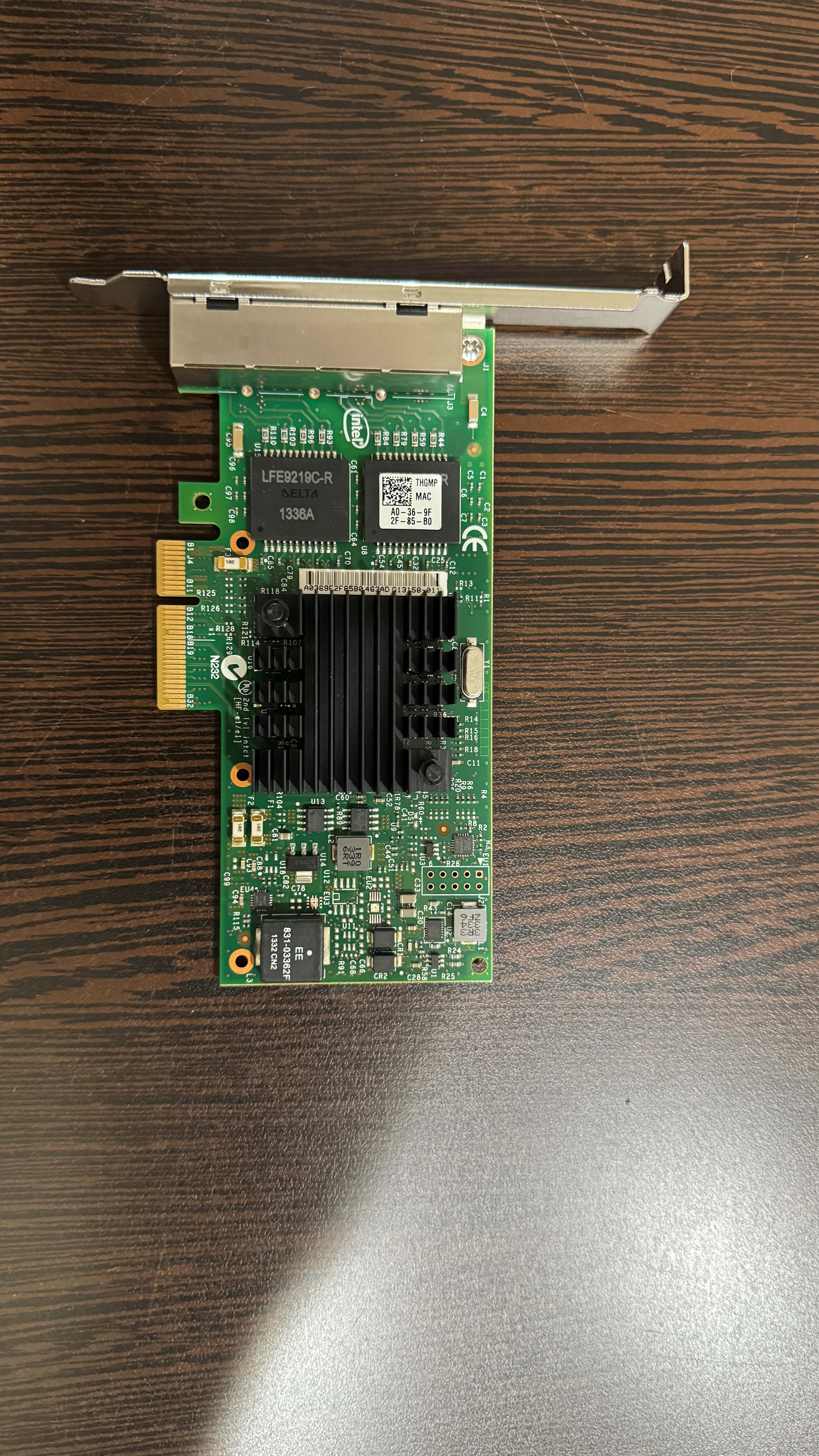
** There are many people selling fake versions of this card. Check out this link below to learn how to tell the difference between an OEM NIC and a fake!
NETGEAR GS108E Gigabit Switch
Set Up & Config
Power Supply & Rack
Uninterruptible Power Supply (UPS)
Home labbing can get expensive, and its incredibly important to protect your gear. To prevent any electrical damage that could occur from power failures, I purchased a CyberPower CP1500 System. This model is a PFC Sine Wave system, which is important as it will produce a cleaner output of electricity should anything interrupt the current power supply. This system should be properly supply my lab with power in the event of failure and allow for proper and graceful shutdowns, which will mitigate data loss and hardware failures.
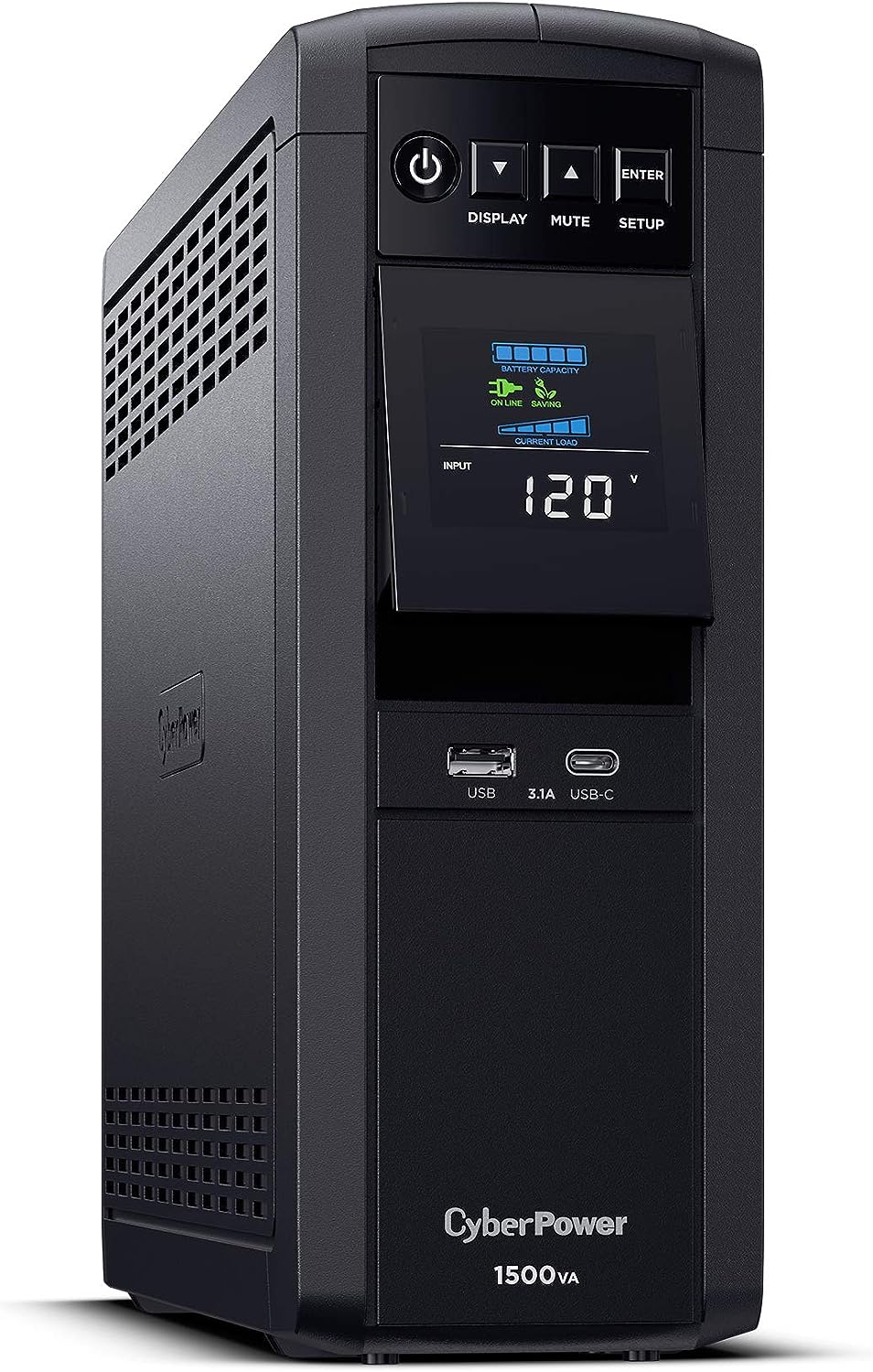
**These are much heavier than they look!
Surge Protectors & Grounding
In addition to the UPS, I also purchased a 1U 10 outlet surge protector and have mounted it to my rack. The surge protector is grounded and will protect any other devices from power failure damage, like my Eero AP and NETGEAR switch

Eero Pro 6
Ventoy Drive
WD Hard Drive for ISOs