
Groups, Memberships, Access Management
Group Types
Security Groups
- Used to manage user and computer access to shared resources
- Can consist of:
- Users
- Devices
- Service Principles
- Nested Groups
- SGs are owned by Users and/or Service Principals
Microsoft 365 Group
- Provides collaboration opportunities between group members, providing access to shared services:
- Mailboxes
- Calendars
- Files
- SharePoint sites
- Also allows for users outside of the organization to be granted access. Members of an MS 365 Group can only be Users.
- MS365 groups are owned by Users and/or Service Principals
Membership Types
Assigned
- Allows you to add specific users as members of a group and have unique permissions
Dynamic User
- Allows use of dynamic membership rules to automatically add or remove members
- If a User's attributes change, the system will determine if the new attributes meet the Dynamic Group rules for the directory
Dynamic Device
- Allows use of dynamic group rules to automatically add or remove devices
- If a device's attributes change, the system looks at the dynamic group rules and determines if the device meets requirements for the directory
Ways to Assign Access Rights
Direct Assignment
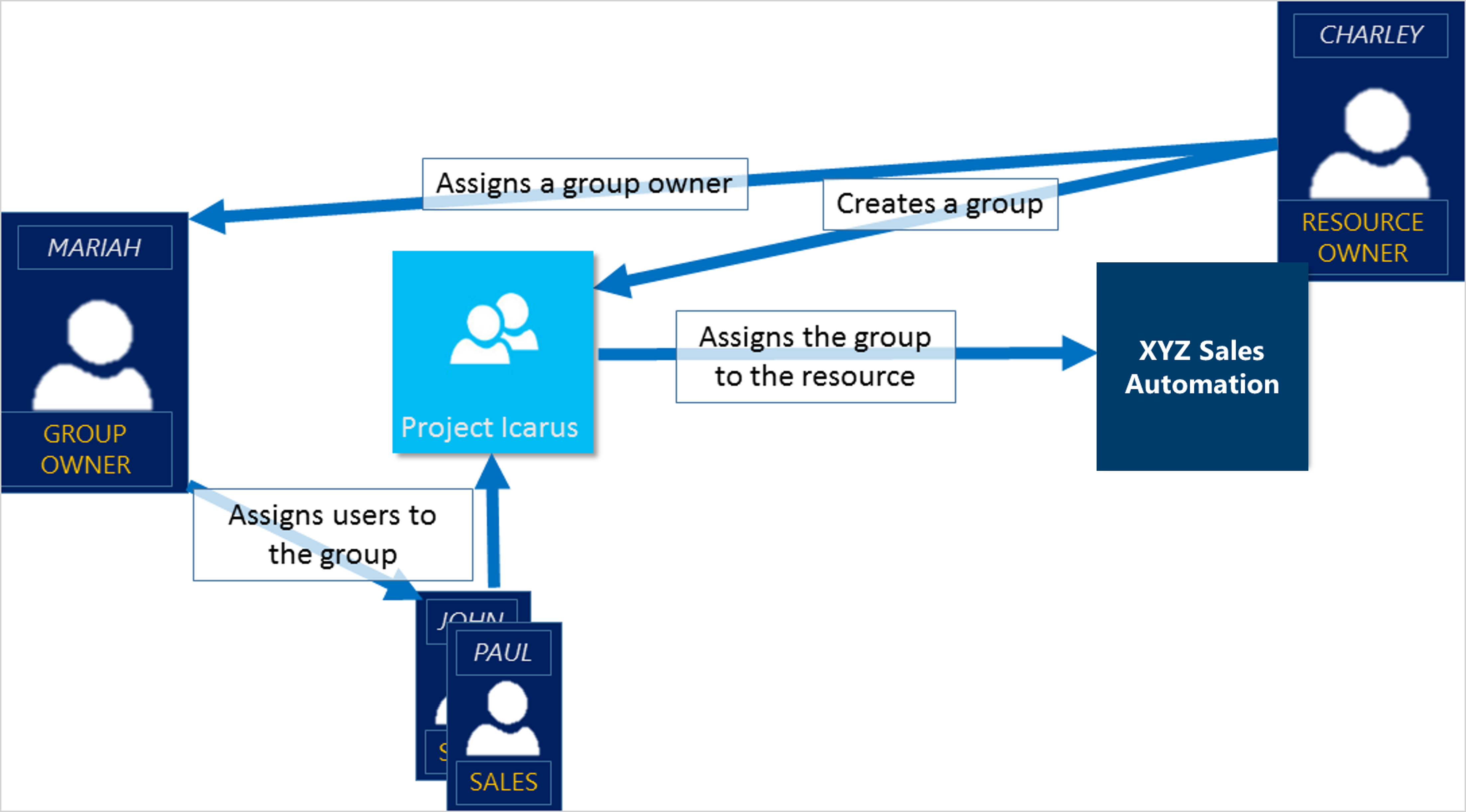
Group Assignment
Rule-Based Assignment
AccessWhen Managementto inuse EntraExternal IDIdentities
B2B collaboration is the most common use of this method. It allows you to securely share company applications and services with external users, while maintaining control over your own corporate data.
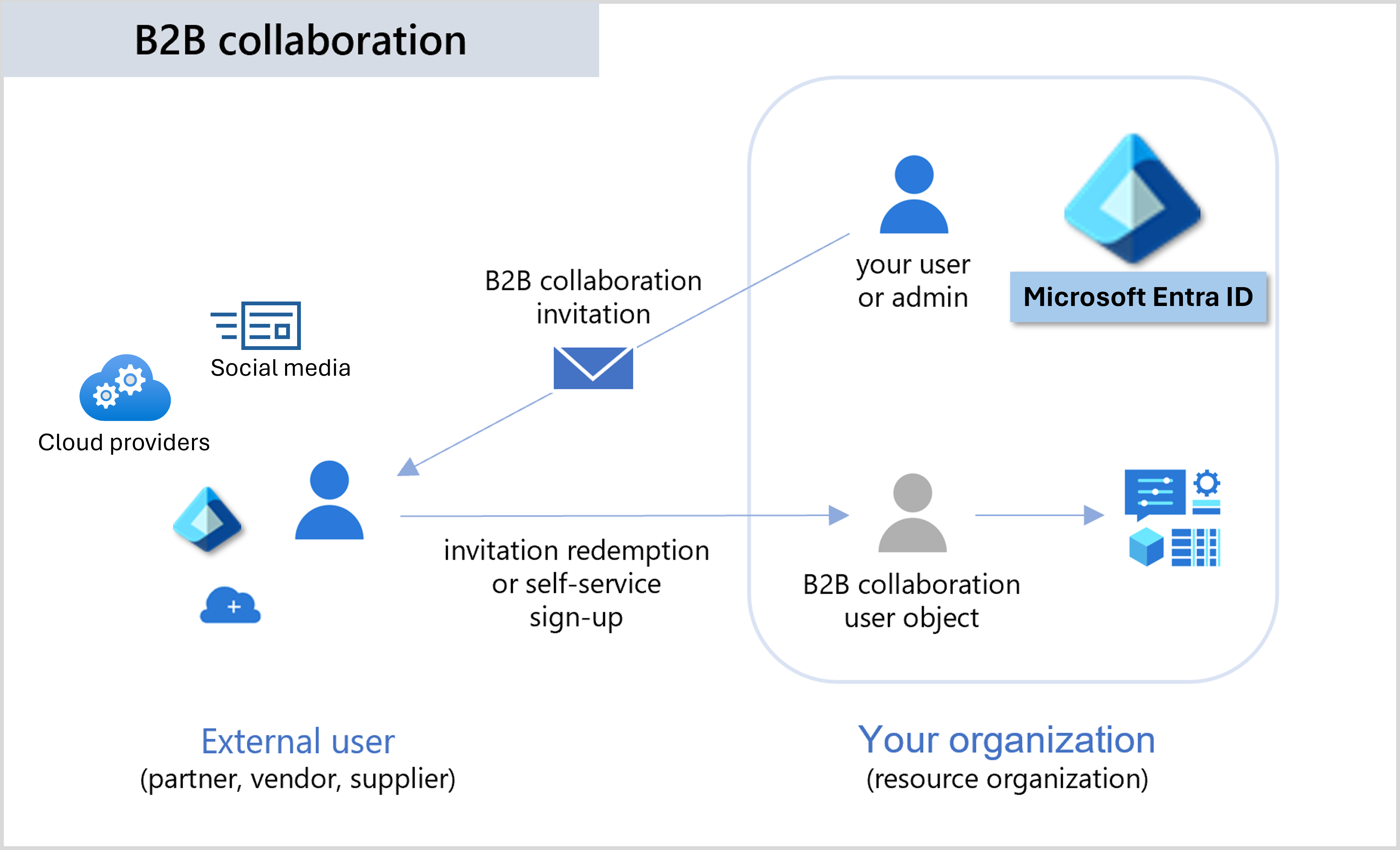
MS Entra B2B
Entra B2B allows fore partners to use their own identity management solution